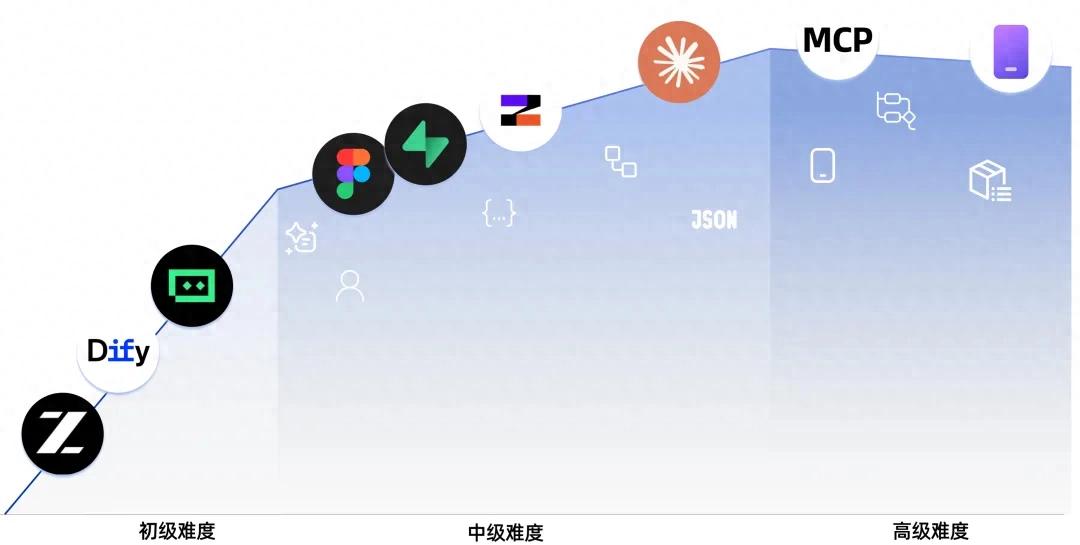
Platform: GitHub
Link:
https://github.com/datawhalechina/easy-vibe
Stars: Rapidly increasing
Produced by: Datawhale (a well-known open-source learning community)
Core Content Summary:
Datawhale’s Vibe Coding tutorial is designed for beginners with no prior experience. The tutorial covers the use of AI programming tools, natural language requirement descriptions, understanding MCP protocols, deployment with Next.js/Vercel, and integration with VS Code/Gemini/GPT, among other topics. Datawhale has previously produced high-quality learning resources such as “Basic Models” (Zhejiang University DAILY Lab, 7.8K+ Stars), continuing its style of “theory + practice + community support”.
1. Beginner’s Guide
Key Content
- Learning Map: Overview of the entire learning path
- AI Era: Experience AI programming capabilities through projects like Snake
- Finding Good Ideas: Learn to find and validate product ideas worth pursuing
- Understanding AI IDE Tools: Use IDEs to create simple games locally
- Prototyping: From requirement analysis to generating single and multi-page product prototypes
- Adding AI Capabilities: Integrate common AI capabilities (text, image, video) into prototypes
- Complete Project Practice: Simulate real scenarios, gather user feedback, and iterate on projects
Appendix: Business Thinking
Key Content
- Product Thinking and Solution Design: Framework for creating products from scratch
- AI Industry Application Scenarios (B2B): Understand AI applications across different industries
- AI Consumer Scenario Inspiration (B2C): Explore AI applications in consumer products
Appendix: Technical Solutions
Key Content
- Debugging Errors: Common errors and troubleshooting in vibe coding
- Comparison of Seven AI Programming Tools: Compare mainstream AI programming platforms
- Design and Programming Agents: Learn to design websites using AI agents
2. Intermediate to Advanced Developers
Frontend Section
Key Content
- Building Your Own Material Production Agent: Start from scratch to generate high-quality design materials using Nanobanana and Lovart, and create an intent-recognizing drawing agent
- Introduction to Figma and MasterGo: Organize information architecture and page structure using design tools
- Building Your First Modern Application - UI Design: Complete componentized interfaces based on design drafts
- UI Design Standards and Multi-Product UI Design: Expand multi-product interfaces around a unified main visual
- Enhancing UI with LLM and Skills: Use prompts and Skills plugins to generate beautiful and unique interfaces
- Creating a Hogwarts Portrait: Develop a frontend application with AI capabilities from scratch
- From Design Prototypes to Project Code: Convert prototypes from design tools to frontend code
- Updating Your Interface with Modern Component Libraries: Quickly build professional interfaces using component libraries
Backend Development Section
Key Content
- From Database to Supabase: Implement databases and APIs on Supabase, connecting data models with frontend pages
- Using Large Models to Assist with Interface Code and Documentation: Generate readable and testable backend code and documentation
- Git and GitHub Workflow: Manage code in Git workflows for version control and collaboration
- Deploying Web Applications: Use platforms like CloudBase, Vercel, and Zeabur for application deployment
- CLI AI Programming Tools: Accelerate development and debugging using CLI-based AI programming tools
- Integrating Payment Systems like Stripe: Connect payment systems to complete billing processes
- Major Project: Building Your First Modern Application - Full Stack: Combine frontend, backend, and payment modules to create a deployable full-stack web application
AI Capabilities Appendix
Key Content
- Introduction to Dify and Knowledge Base Integration: Use Dify Workflow and basic RAG to build tool-based products for future application upgrades
3. Advanced Developers
Claude Code Core Skills
Key Content
- Getting Started with Claude Code: Installation, basic operations, practical tips, and common commands
- Complete Guide to Claude Code MCP: Connect Claude Code to GitHub, databases, APIs, and other external services via MCP
- Complete Guide to Claude Code Skills: Package professional knowledge into reusable skill sets for repeated use
- Best Practices for Claude Code Workflows: Best practices for daily development, code refactoring, and code reviews
- Complete Guide to Claude Agent Teams: Collaborate with multiple AI instances like a real development team
- Claude Code Superpowers: Enable AI to write engineering-level code following TDD and best practices
- Long-Running Tasks with Claude Code: Design tasks for long-term execution, allowing coding tools to work continuously until completion
Multi-Platform Development
Key Content
- Building WeChat Mini Programs: Understand the WeChat mini program ecosystem and complete a frontend mini program from official templates to launch
- Building WeChat Mini Programs with Backend: Integrate databases and backend logic into mini programs for a complete business loop
- Building Android Applications: Use tools like Expo to develop integrated web/native Android applications
- Building iOS Applications: Use tools like Expo to develop integrated web/native iOS applications
- Developing PWA Local Applications: Transform web pages into “real apps” supporting offline, push notifications, and desktop installation
- Developing Browser AI Assistant Plugins: Create Chrome plugins that summarize any webpage with cloud API and built-in AI support
- Developing Electron Desktop Applications: Build voice-to-text desktop applications with Electron, supporting installation on three platforms
- Quickly Developing and Minting NFTs: Write smart contracts from scratch, deploy them on the Ethereum testnet, and mint your own NFTs
- Developing VS Code Plugins: Create AI project assistant plugins supporting template generation, code conversations, and multi-file Q&A
- Developing Industrial-Grade Qt Desktop Applications: Use Qt to build industrial-grade water pump monitoring HMI systems with real-time data, trend graphs, and alarms
AI Capabilities Appendix
Key Content
- What is RAG and How It Works: Understand the principles of RAG and common architectures, providing a knowledge retrieval foundation for complex applications
- Intermediate to Advanced RAG and Workflow Orchestration: Using LangGraph as an Example: Design multi-step workflows and intermediate to advanced RAG systems using tools like LangGraph
Appendix Knowledge Base
Covering 9 major knowledge areas and over 80 interactive topics, helping you intuitively understand core concepts from the fundamentals of computing to the forefront of AI through animations and visual components.
Comments
Discussion is powered by Giscus (GitHub Discussions). Add
repo,repoID,category, andcategoryIDunder[params.comments.giscus]inhugo.tomlusing the values from the Giscus setup tool.